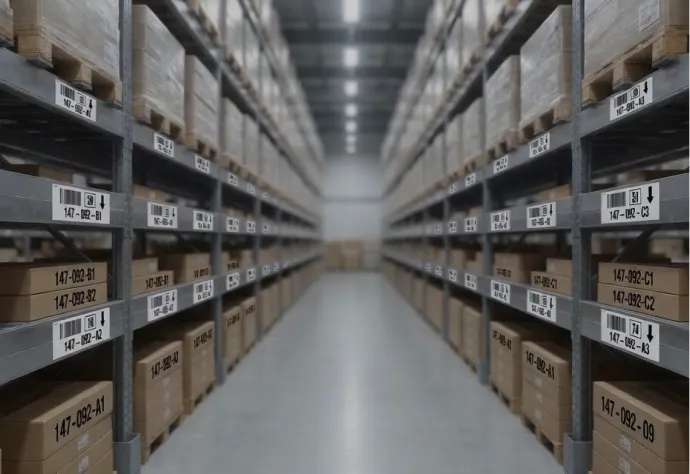


For DME, rental, and service companies
Medical equipment asset tags for units that leave your building.
“Property of” tags with your return number for the concentrators, beds, and pumps out on rental or in patients’ homes. A matching tab for the delivery ticket, and numbers that continue your fleet list.
“Property of” and a return number · 2-part and 4-part tabs · Barcode or QR · Tamper-evident VOID · Sizes for small devices
Family-run since 1982 · Purchase orders accepted · 800-524-0599
Family-run since 1982
Out on rental, still marked as yours
- ✓Purchase orders accepted
PO or card at checkout - ✓A tab for delivery tickets
The same number on the unit and the paperwork - ✓A proof before we print
Then numbers in sequence from your start value
“I rarely write testimonials, but these guys deserve it. I couldn’t be happier with the product or the service. They helped me organize our data and delivered exactly what I was looking for. Thank you so much!”
Olivia V., Precision Maintenance
What do you need to tag?
Start with the tags, or jump to where your equipment goes.
Real tags we printed
Tag styles
Multi-part tabs and return numbers.
See tag styles ↓
DME and rental
Rental & DME fleets
Concentrators, beds, pumps, and wheelchairs.
See fleet tags ↓
ISOs and field service
Service & PM tracking
Your service line on every unit you maintain.
See service tags ↓
Home monitoring and HME
Devices in patients’ homes
Return wording for units that must come back.
See return tags ↓
Depot and warehouse
Repair depot & parts
Returns, cleaning, PM, and parts shelves.
See depot labels ↓
Tags for equipment that goes out and comes back
Both are real tags we printed for customers. Either construction can carry your name, return number, and numbering.
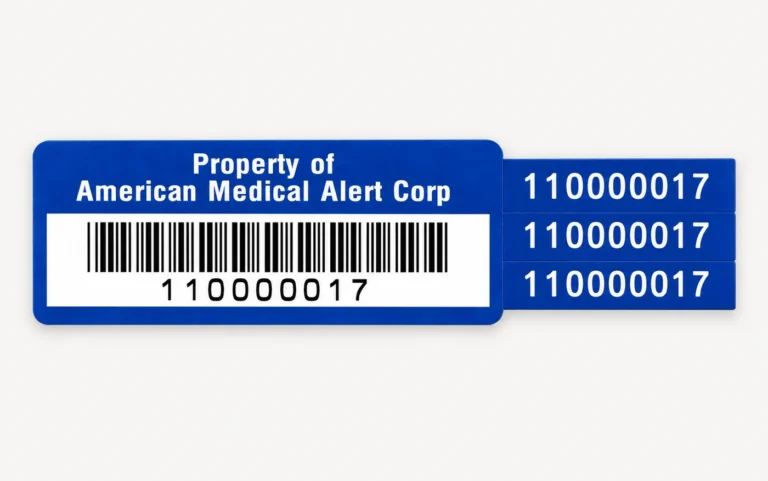
4-part
Three tabs, one unit number
The tag stays on the unit, and the tabs carry its number to the delivery ticket, the patient file, and the service record. Shown: a 4-part tag we printed for American Medical Alert Corp.
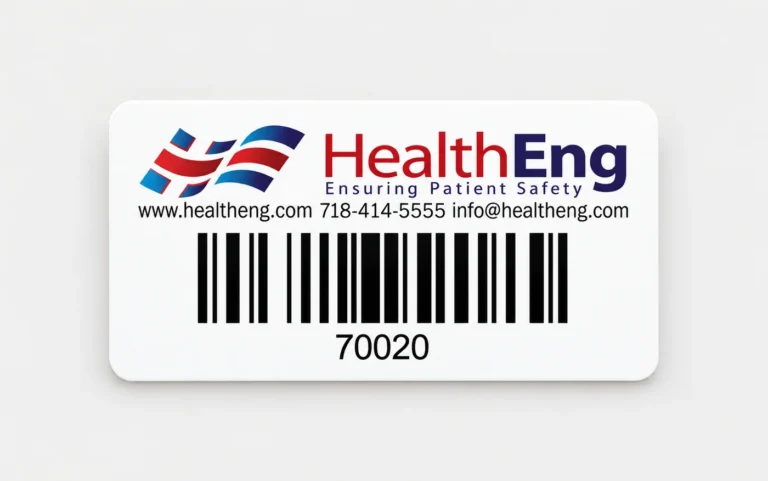
Logo and contact line
Who to call, on the unit
Whoever has the unit sees your logo, web address, phone, and email above the barcode. Shown: a tag we printed for HealthEng.
What goes on the tag
| Field | Why it is there |
|---|---|
| “Property of [company]” | Ownership, in a home or a hospital equipment room |
| Return phone number | The call you want when service ends or the unit fails |
| Unit number (barcode and text) | Ties the unit to the rental, the delivery, and the PM record |
| Matching tab number | Delivery ticket, rental agreement, or service record |
| QR code | The unit’s service history on a tech’s phone |
| Logo | Spotted fast among other vendors’ units |
| Stripe color | Separates rental units from sale units, or one product line from another |
| Warranty or service-contract line | Who covers repairs on this unit |
A photo of one tag from the field is enough to match it, prefix and digit count included.
Rental & DME fleets
DME asset tags that follow a unit from patient to patient.
A concentrator or a bed goes out, comes back, gets cleaned, and goes out again. The unit number has to scan at every step, and it has to match the delivery ticket the driver brings back.
- 2-part tags: the tab goes on the delivery ticket with the same number
- “Property of [your company]” and your logo, readable in a crowded hospital equipment room
- Unit numbers that pick up from your rental or billing system
- Seven stripe colors to split product lines, or rental units from sale units
- Laminated polyester that resists solvents and abrasion, for units cleaned after every return

ISOs & manufacturers’ field service
Biomedical equipment tags that tell the customer who services the unit.
When a unit you maintain fails at a hospital or a clinic, staff should see your name and number before they call anyone else. Your tech scans the same tag to pull up the unit’s PM history in your system.
- Your company name and service line in a color header
- Loaner, demo, and swap units numbered in their own series
- A QR code linked to the unit’s record, where your system shows the next PM date
- Your asset number sits beside the manufacturer’s UDI, not in place of it
- ParVoid tags that show “VOID” if someone peels a tag off to move it
Home monitoring & HME
“Property of” labels with a return number, for devices in patients’ homes.
A monitoring unit or a CPAP can sit in a home for years, then turn up in a closet after service ends. A “Property of” line and an “If found, call” number tell whoever finds it where the unit belongs.
- The unit number in plain text, so a patient can read it to your call center
- Sizes down to .3″ × 1″ for the smallest devices you send home
- ParDestruct vinyl that can’t be peeled off in one piece and reused
- A matching tab for the enrollment form or install record
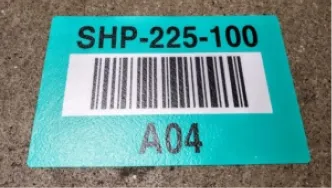
Repair depot & warehouse
Location labels for the depot, from dirty returns to ready units.
Returned units wait for cleaning, repair, and PM before they go back into the fleet. Once the stages and parts bins are labeled, scanning a location tells your system where a unit is.
- Floor markers for staging lanes: returned, cleaning, repair, ready to ship
- Color coding by stage, so repair and ready-to-ship lanes look different
- Shelf and bin labels for parts, laid out from your parts list
- Printers, label stock, and ribbon for the shipping and service labels your system prints
How it works
The steps are the same for new units, a full fleet re-tag, or one product line.
1
Tell us what you’re tagging
Unit types, fleet size, and the numbering in your rental or service system. Include the exact “Property of” and return wording.
2
We set the construction
Size, material, and how many tabs: none, one for the delivery ticket, or three for the ticket, the file, and the service record.
3
You approve a proof
Nothing prints until the wording, the phone number, and the numbering are right.
4
Delivered in number order
Printed from your starting number. The next unit through intake gets the next tag.
Options
Standard choices for rental equipment tags are below. 4-part tags, full contact blocks, and anything not listed are custom work.
Sizes & constructions
- 1″ × 2″ and .75″ × 2″ for beds, concentrators, and pumps
- .5″ × 1.5″ and .3″ × 1″ for small devices
- 2-part: .75″ tag + .25″ matching tab
- 4-part: one tag plus three matching tabs
- Code 39, Code 128, or QR
Wording & printing
- “Property of” and “If found, call” lines
- Phone number, web address, or email
- Your logo and company colors
- 7 stripe colors by product line
- Warranty or service-contract line
Materials
ParPlus polyester (white or silver): printed under a protective laminate that resists solvents and abrasion.
ParVoid tamper-evident: leaves the word “VOID” behind if someone removes it.
ParDestruct vinyl: breaks into small pieces if anyone tries to peel it off.
The online designer covers standard tags, including the 2-part tag with a matching tab. You can order as few as 250, from $122.50 with free shipping.
FAQs
Questions DME and rental companies ask
Yes. The new tags start at the next number in your fleet list, prefix and all.
Yes. “Property of”, “If found, call”, and your number can all go on the tag. You check the exact wording on the proof.
It carries the same number as the tag on the unit. Peel it off at delivery and stick it on the ticket. The paperwork then matches the unit without anyone copying a serial number by hand.
No. The UDI is the manufacturer’s marking. Your asset tag carries your own number and goes on beside it.
Yes. Pick Purchase Order at checkout and add your PO number, or pay by card.
Standard tags ordered online start at 250 for $122.50, and shipping is free. A whole fleet, 4-part tags, or more than 10,000 tags get a quote.
ParPlus polyester is printed under a laminate that resists solvents and abrasion. Because cleaning products differ, run samples through your own process before you commit.
Yes. ParVoid leaves the word “VOID” on the unit and on the tag if someone removes it. ParDestruct breaks into small pieces instead of coming off whole.
Yes, if your service system gives each unit a link. We print the link or the unit number as a QR code, beside the barcode or in place of it.
Get pricing for medical equipment asset tags.
Send a photo of the tag on a unit now, the next number in your series, and the return wording you want. You get back a layout and a price.
- The next numbers in your fleet list
- Purchase orders accepted
- Samples to try on a real unit

Or ask Frankie.
He’s helped thousands of customers find the right label. 800-524-0599
Get a Quick Quote
Frankie often replies within minutes.
